For associations
Education sessions, speakers and the attendee app, on one record.
Collect every speaker's slides on deadline, put the program in your attendees' hands, and hear what they thought of each session, all from the record you built the program on.
Published price. Public manual. A reply within one business day. See pricing
Your meeting's work
Built around the people on the program
Education sessions
Build the program on a timed grid in the venue's own time zone, by track and room. Move a session and the app, the room sign and the speaker's deadline follow it.
Speakers
Personal links let speakers upload without signing in. Reminders at 7, 3 and 1 days out stop when the file arrives, and every replaced file is kept.
The attendee app
A mobile web app at your event's own address, with no app store: a now-and-next strip, a personal schedule that flags clashes, and the faculty.
Feedback
Session evaluations by QR code that open when the session ends, with a dashboard of averages and distributions. Audience questions come in from a phone.
The modules
What you would switch on
Each module is switched on for the events that need it. Internet Uploads is always on; the rest is your choice, event by event.
- Internet UploadsSpeaker files on deadline, and a chase for the late ones.
- Attendee AppThe delegate app at your event's own address. No app store.
- Session FeedbackSession evaluations, collected by QR code.
- Open MicAudience questions from a phone, moderated at the front.
- BeaconRoom signs, boards and wayfinding, driven by the program.
- Review & ApprovalSlide decks reviewed before they are shown, across rounds.
See it in action
A speaker's day, from upload to the room
Follow one speaker through real screens: their personal link, their upload, the review of their slides, and the talk ready on the room computer.
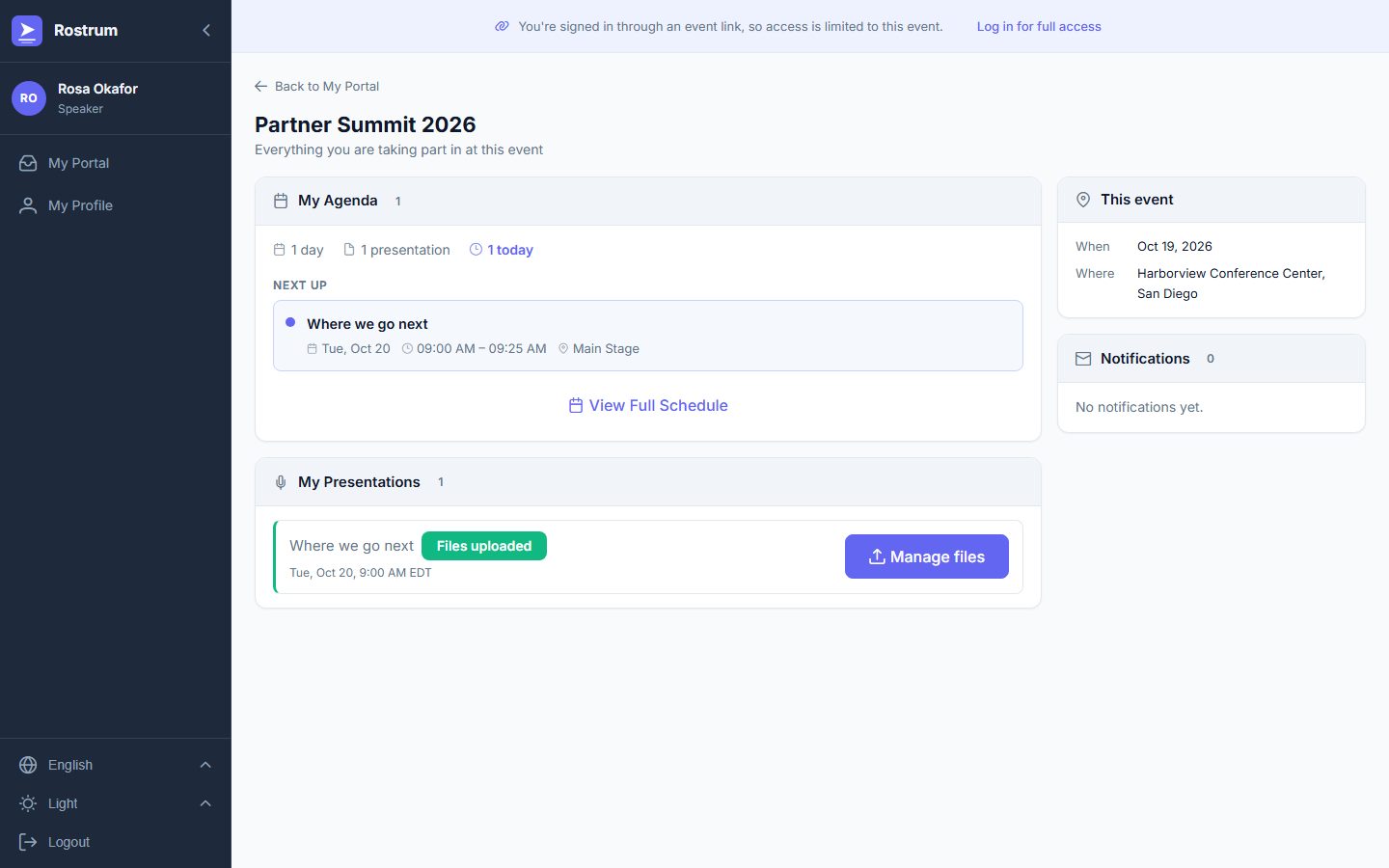
1. The speaker's own page
The speaker follows their personal link, with no account and no password, to a page with their talk, its time and room, and whether their files are in.
Show day, too
Speaker Ready, the reception desk and the room computers run from the same record as the program. Use the stations your event needs.
On-site delivery →Working with an A/V company?
Rostrum sells software only, so it never competes with the company running your rooms. A/V and production companies can offer it to their clients.
For A/V and production companies →Published pricing
The price follows the size of your event and the modules you switch on. There is no implementation fee, and the full table is on the home page.
See the pricing table →Your next meeting
Planning your next conference or annual meeting?
Tell us the dates, the size and what you use today. We reply within one business day with how your meeting would run on Rostrum.